How to Write a Functional Resume (Step-by-Step Guide with Examples)
A functional resume organizes your qualifications by skill category rather than by employer and date. It's the format people recommend when you have gaps, are switching careers, or lack traditional work experience—but it's also the format that gets rejected by ATS software more than any other layout.
This guide helps you make a clear decision: is a functional resume actually right for your situation? If yes, you'll learn exactly how to build one that doesn't sabotage your application.
What Is a Functional Resume (and Who Actually Needs One)?
A functional resume—also called a skills-based resume—leads with grouped skill categories and supporting accomplishments, then lists your work history as a brief section at the bottom. The goal is to spotlight what you can do rather than where and when you did it.
You genuinely need a functional format if you fit one of these profiles:
- Career changers with transferable skills that don't appear in your job titles. Example: a restaurant manager applying for event coordination roles who has budgeting, vendor negotiation, and team leadership experience but no "Event Coordinator" title on their resume.
- People re-entering the workforce after 3+ years away (caregiving, health, education) who have relevant skills but a visible timeline gap.
- Military-to-civilian transitioners whose rank structures and role titles don't translate to corporate job descriptions.
- Freelancers or gig workers with 10+ short-term projects that would look chaotic in chronological format.
If you don't fit one of those categories, you probably don't need this format. Keep reading—the next section will help you confirm.
Functional vs. Chronological vs. Combination: Which Format Is Right for You?
| Factor | Chronological | Functional | Combination |
|---|---|---|---|
| Work history is consistent (no gaps > 1 year) | ✓ Best | ✗ Overkill | ○ Works |
| Switching industries entirely | ✗ Highlights wrong titles | ✓ Best | ✓ Good |
| Employment gap > 2 years | ✗ Makes gap obvious | ✓ Best | ○ Works |
| ATS compatibility | ✓ Highest | ✗ Lowest | ✓ High |
| Recruiter preference | ✓ Preferred | ✗ Raises flags | ✓ Accepted |
The honest truth: most recruiters find functional resumes suspicious. They assume you're hiding something. That doesn't mean the format is useless—it means you need to execute it with precision and understand the tradeoffs.
If you're making a career change, the combination format often gives you the best of both worlds. But if your chronological timeline would genuinely confuse or alarm a reader, functional is your best option.
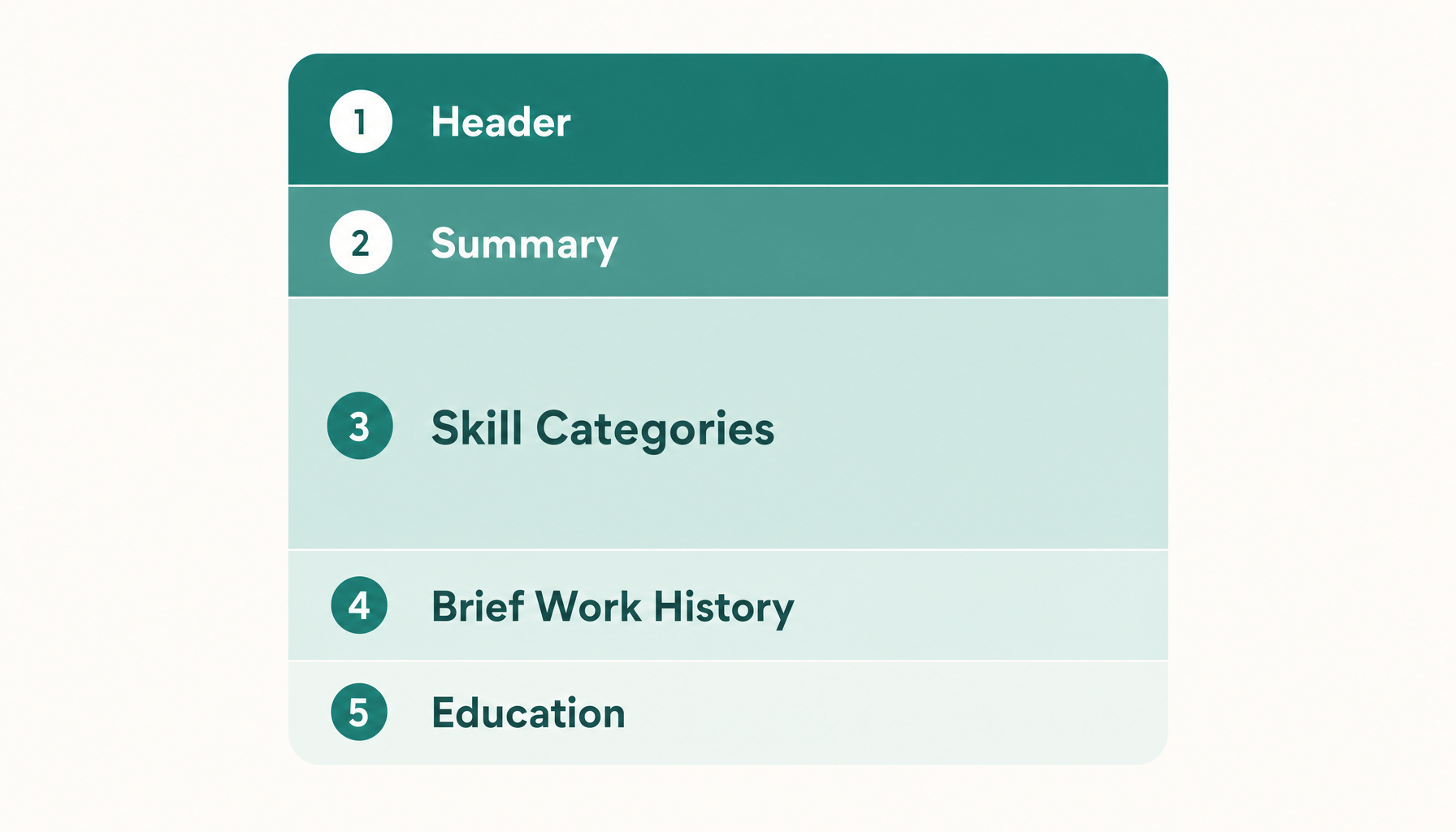
The 5 Core Sections of a Functional Resume
- Contact information + professional title (header)
- Professional summary (3–4 lines positioning your value)
- Skill categories with accomplishments (the main body—this is where 60% of your resume lives)
- Work history (company, title, dates only—no bullets)
- Education and certifications
Step-by-Step: How to Write Each Section of Your Functional Resume
Header and Professional Title
Skip "objective statements." Use a professional title that mirrors what the job posting calls the role. If the posting says "Operations Coordinator," your header says "Operations Coordinator"—not "Experienced Professional Seeking New Opportunities."
Professional Summary
Three to four lines. Name your years of relevant experience (not years at specific companies), your top two or three skills, and one measurable result.
Example:
Operations professional with 8+ years managing logistics, vendor relationships, and cross-functional teams. Reduced supply chain costs by 22% across three organizations. Skilled in ERP systems, process optimization, and team training.
For more on writing this section, see our guide to resume summary examples.
Skill Categories with Accomplishments
This is the heart of your functional resume. Each category gets 3–5 bullet points showing evidence of that skill. Every bullet needs a result, a number, or a specific context.
Example category:
Project Management
- Led cross-departmental rollout of inventory tracking system serving 4 warehouses and 120 staff
- Delivered 12 client projects within budget, averaging 3 days ahead of deadline
- Created standardized onboarding workflow that reduced new-hire ramp time from 6 weeks to 3.5 weeks
Work History (Brief)
List company name, your title, and dates. No bullets. No descriptions. The skill categories above already carried that weight.
Example:
Freelance Operations Consultant | 2022–2026 Martinez Logistics, Warehouse Supervisor | 2019–2022 U.S. Army, Staff Sergeant | 2014–2019
Education and Certifications
Standard formatting. If you have certifications relevant to the target role, list them prominently.
Choosing the Right Skill Categories for Your Functional Resume
Don't invent categories from thin air. Pull them directly from the job description. Here's the process:
- Copy the job posting into a document.
- Highlight every skill or competency mentioned more than once.
- Group those skills into 3–4 natural clusters.
- Name each cluster using the language the employer uses.
If the job description says: "Manage budgets, negotiate contracts, oversee vendor performance" Your category becomes: "Budget & Vendor Management" — not "Financial Stuff" or "Business Acumen."
Typical skill categories for career changers include: Leadership & Team Development, Client Relations & Communication, Process Improvement & Analysis, and Technical Proficiency. But yours should always mirror the specific posting.
Common Functional Resume Mistakes That Kill Your Chances
Listing skills without evidence. Writing "Excellent communicator" as a bullet is worthless. Writing "Presented quarterly results to 40-person executive team for 3 consecutive years" is proof.
Using too many categories. Five or six skill categories make you look unfocused. Stick to three or four that directly match the job.
Omitting work history entirely. Some guides suggest this. Don't. A resume with zero employer names gets immediately rejected by humans and ATS software alike.
Ignoring the job description. A functional resume that isn't tailored to a specific posting is just a generic skills list. You need to match your resume to the job description every time.
Does a Functional Resume Pass ATS Screening? The Truth
Here's the uncomfortable reality: many ATS platforms struggle with functional resumes. Systems like Workday, Greenhouse, and Lever parse resumes by looking for job titles tied to date ranges tied to bullet points. When your accomplishments live under skill categories instead of under employer names, the parser can't associate your achievements with specific roles.
That doesn't mean you're automatically rejected. It means:
- Your keywords still need to appear. The ATS scans for keyword matches regardless of format.
- Standard section headers matter. Use "Professional Experience" or "Work History"—not "Career Journey" or "Professional Narrative."
- Parseable formatting is critical. No tables, no columns, no text boxes. Plain structure with clear headings.
The safest move: before you submit, check whether your resume's keywords actually align with the job description. Paste any job description into Resume Inspector — it's free, no credit card needed — and you'll see exactly which keywords you're missing and whether your formatting is ATS-compatible. Takes under a minute and tells you if your functional layout is going to survive the filter or get shredded.
For deeper formatting guidance, check our ATS resume tips.
Functional Resume Example (Before and After)
Before (weak functional resume):
Skills
- Communication
- Leadership
- Microsoft Office
- Problem solving
Work History Various positions, 2018–2024
After (strong functional resume):
Client Communication & Relationship Management
- Managed portfolio of 35 B2B accounts generating $1.2M annual revenue
- Resolved escalated client complaints with 94% retention rate over 2 years
- Wrote weekly stakeholder updates read by C-suite audience of 12
Team Leadership & Training
- Supervised and mentored team of 8 across two time zones
- Designed onboarding curriculum that cut 30-day turnover by 40%
- Led weekly standups and quarterly performance reviews
Work History Bright Solutions, Account Manager | 2021–2024 Freelance Consultant | 2019–2021 Career break (family caregiving) | 2017–2019
The difference: specific numbers, named outcomes, and an honest work history that acknowledges the gap rather than hiding it. For more on framing gaps, see our guide on how to explain an employment gap.
When to Avoid the Functional Format (And What to Use Instead)
Skip the functional resume if:
- You're applying to large corporations with rigid ATS systems. Their parsers will scramble your content. Use combination or chronological instead.
- You have a solid, linear career progression. A functional format here looks like you're hiding something when there's nothing to hide.
- The job posting specifically asks for a chronological resume. Some do. Follow instructions.
- Your "gap" is only 6–12 months. That's easily explained in a cover letter or a single line on a chronological resume. You don't need to restructure your entire document.
The combination format—which leads with a skills summary but still includes bulleted accomplishments under each employer—often gives you the benefits of functional framing without the ATS penalty.
Check our breakdown of the best resume format for 2026 to see which layout fits your specific situation.
Final Checklist Before You Submit Your Functional Resume
- Professional title matches the job posting's role name
- Summary includes at least one quantified result
- 3–4 skill categories drawn directly from the job description
- Every bullet under each category includes a number, result, or specific context
- Work history section lists all employers with titles and dates (no gaps hidden)
- No tables, columns, or graphics that break ATS parsing
- Standard section headers used (not creative labels)
- File saved as .docx or plain PDF (not designed PDF)
- Keywords from the job description appear naturally throughout
One last step before you hit submit: run your resume through a quick fit check to see how it scores against the specific job you're targeting. It's free, takes under a minute, and shows you exactly where you stand before a recruiter ever sees it.