ATS Resume Tips That Actually Work in 2026 (Stop Getting Filtered Out)
You've sent 50+ applications. Maybe 200. You're qualified for these roles — you know you are — but you're getting auto-rejected before a human ever sees your name. The problem isn't your experience. It's that your resume is failing a software test you didn't know you were taking.
Here's how to fix that.
What Is an ATS and Why Does It Keep Rejecting Your Resume?
An applicant tracking system (ATS) is software that sits between you and the hiring manager. Companies like Workday, Greenhouse, Lever, and iCIMS use these systems to parse, rank, and filter resumes before a recruiter ever opens one.
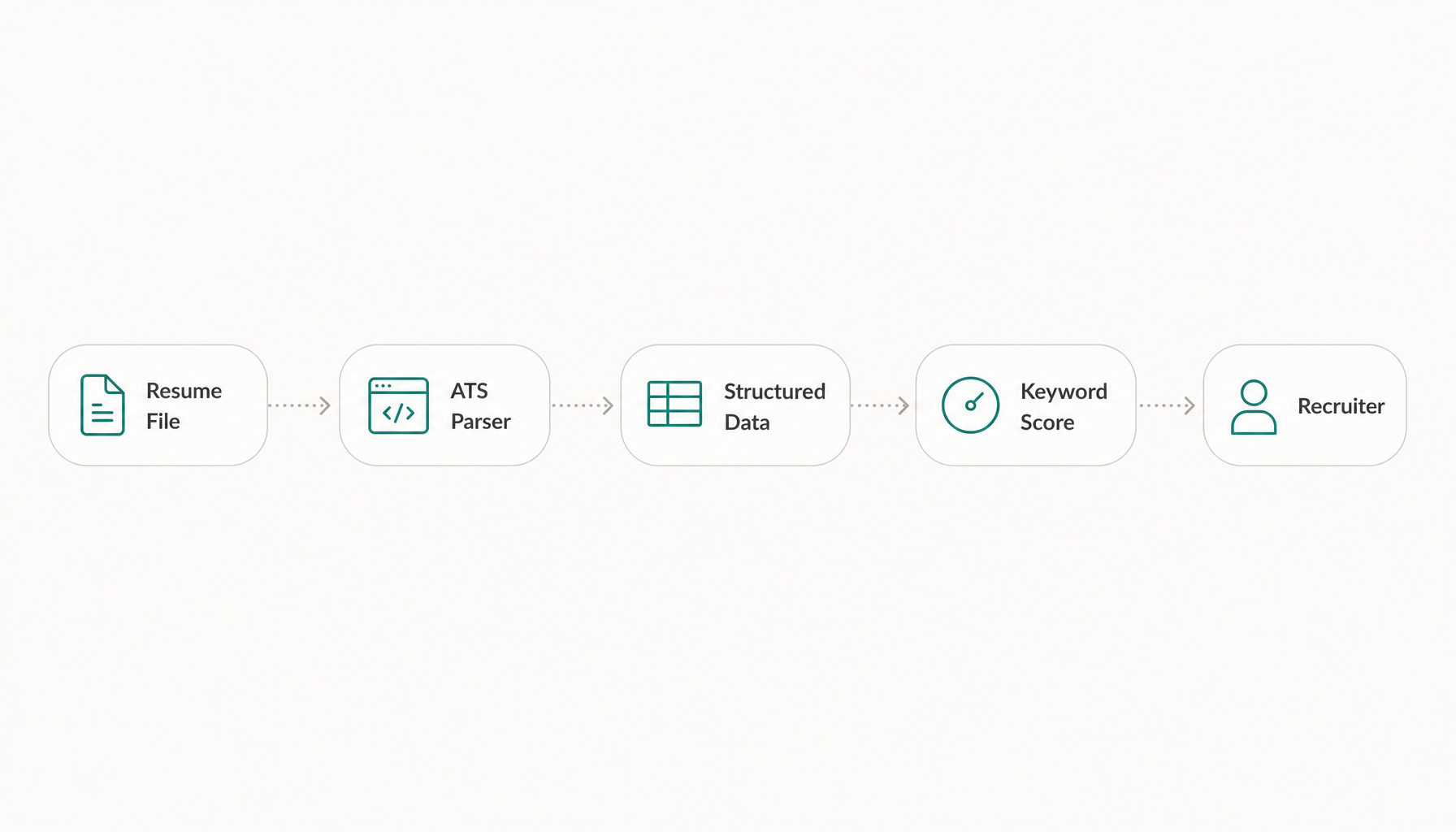
Here's what actually happens: the ATS attempts to extract your contact info, work history, education, and skills into structured data fields. Then it scores your resume against the job description — looking for keyword matches, relevant experience, and sometimes even specific formatting cues.
If the system can't parse your resume cleanly, your data ends up garbled. If your keywords don't match the job description closely enough, you rank low and get filtered out. Either way, a recruiter never sees you.
The rejection isn't personal. It's mechanical. And mechanical problems have mechanical solutions.
ATS Resume Tip #1: Match the Job Description's Exact Language
This is the single highest-impact change you can make. ATS software performs literal keyword matching. If the job description says "project management" and your resume says "managed projects," some systems won't count that as a match.
What this looks like in practice:
- Job description says "cross-functional collaboration" → Use that exact phrase, not "worked with other teams"
- Job description says "Salesforce CRM" → Don't just write "CRM experience"
- Job description says "Python" → Don't assume "programming languages" covers it
Pull the hard skills keywords directly from the posting. Job titles, tools, certifications, methodologies — these are your targets. If the posting mentions "Agile" six times, that word better appear on your resume.
This isn't gaming the system. It's speaking the same language as the role you're applying for.
ATS Resume Tip #2: Use a Clean, Parseable Format (No Tables, No Columns)
That two-column resume template you downloaded from Canva? It might look sharp to a human, but most ATS software reads left-to-right, top-to-bottom. Columns create parsing chaos — your job title from column A gets merged with a skill from column B, and your resume becomes nonsense in the system.
Kill these formatting choices immediately:
- Tables (even invisible ones)
- Two-column layouts
- Text boxes
- Headers and footers (many ATS systems can't read content placed here — including your contact info)
- Icons or graphics replacing text (a phone icon next to your number means the ATS sees nothing)
- Infographic-style skill bars
Use instead:
- Single-column layout
- Standard section headings: "Experience," "Education," "Skills" (not "Where I've Made an Impact")
- Simple bullet points (round bullets, not custom symbols)
- Standard fonts (Arial, Calibri, Garamond, Times New Roman)
ATS Resume Tip #3: Place Keywords in the Right Sections — Not Just Once
Keyword stuffing at the bottom of your resume in white text was a hack that worked in 2010. Modern ATS software detects this, and recruiters who do see your resume will notice immediately.
Instead, distribute keywords naturally across multiple sections:
- Skills section: List hard skills and tools explicitly (e.g., "SQL, Tableau, A/B Testing, Google Analytics")
- Experience bullets: Embed keywords in context: "Led A/B testing program across 3 product lines, increasing conversion by 14%"
- Summary/headline: Place your highest-priority keywords here — this section gets parsed first
A keyword appearing three times in appropriate context signals stronger relevance than one mention buried in your skills list. The ATS assigns weight based on placement and frequency.
Real example: If you're applying for a "Senior Data Analyst" role and the posting emphasizes "stakeholder communication" and "SQL," both should appear in your summary and your experience section with specific outcomes attached.
ATS Resume Tip #4: Choose the Right File Type and Avoid Common Formatting Traps
File format: Submit as .docx unless the posting specifically requests PDF. Here's why: while most modern ATS platforms parse PDFs fine, some older systems (especially in government, healthcare, and enterprise companies still running legacy software) struggle with PDF parsing. A .docx file is universally safe.
If a system gives you both options, .docx is the lower-risk choice.
Other traps that silently break your resume:
- Unusual date formats (use "Jan 2022 – Present" or "01/2022 – Present")
- Abbreviations without the full term (write "Search Engine Optimization (SEO)" the first time, then use "SEO")
- Non-standard section headers ("Professional Journey" instead of "Experience")
- Merged cells from copying content out of a spreadsheet
- Special characters that don't render consistently (em dashes, smart quotes copied from Word on Mac)
ATS Resume Tip #5: Tailor Every Resume to Every Job (Here's How to Do It Fast)
This is where most people give up. You know you're supposed to customize your resume for each application, but when you're applying to 10+ jobs per week, rewriting bullet points for every single one feels impossible.
Here's the shortcut: you don't need to rewrite everything. You need to identify which keywords each specific job prioritizes and make sure they're present and prominent on your resume.
The fastest way to do this: paste any job description into Resume Inspector — it's free, no signup needed — and you'll see exactly which keywords you're missing in under a minute. It runs a job description matching analysis that shows your fit score and highlights the gaps.
From there, tailoring becomes a 5-minute task instead of a 45-minute one:
- Run the analysis against the specific posting
- Identify the 3–5 missing keywords that are genuinely relevant to your experience
- Add or adjust bullet points to include those terms with real context
- Re-run if you want to confirm the improvement
This isn't about fabricating experience. It's about surfacing the relevant parts of your background that you forgot to emphasize because your resume was originally written for a different role.
For a deeper dive on this process, check out how to tailor your resume to any job.
The ATS Mistakes Most Job Seekers Don't Know They're Making
Beyond the obvious tips, here are the errors I saw repeatedly as a recruiter that candidates never realized were costing them:
Using a functional resume format. Skills-based resumes with no chronological work history confuse most ATS systems. They can't map your skills to specific roles or timeframes, which tanks your score. Use reverse-chronological. Always.
Omitting months from employment dates. Writing "2021 – 2023" instead of "March 2021 – June 2023" creates ambiguity. Some systems flag this as a potential gap or can't calculate tenure accurately.
Applying with a "master resume." A 3-page resume with every skill and role you've ever held doesn't score better — it dilutes your keyword density. The system measures relevance, not volume. A focused, tailored one-page resume will outscore a generic three-pager every time.
Putting critical info only in your cover letter. ATS systems typically parse resumes and cover letters separately. Keywords in your cover letter don't boost your resume's score. Put everything that matters on the resume itself.
How to Actually Test Whether Your Resume Will Pass an ATS
Here's what separates people who get interviews from people who keep guessing: verification.
Before you hit submit on any application, run a free ATS compatibility check. Paste the job description, upload your resume, and see your fit score. If you're below 70% keyword match, you're likely getting filtered. If the tool flags formatting issues, you know exactly what to fix.
This takes under a minute and eliminates the "send and pray" approach that burns out job seekers. You get a concrete score, a list of missing keywords, and a clear action plan — before your resume enters the black hole.
Try our free Job Keyword Scanner to see how your resume stacks up.
Try our free ATS Resume Checker to see how your resume stacks up.
Quick-Reference ATS Resume Checklist Before You Apply
Use this before every submission:
- ☐ Single-column layout, no tables or text boxes
- ☐ Standard section headers (Experience, Education, Skills)
- ☐ Contact info in the body — not in the header/footer
- ☐ .docx file format (unless PDF specifically requested)
- ☐ Job title from the posting appears in your resume
- ☐ Top 5 hard skills from the job description are present
- ☐ Keywords appear in both Skills section AND Experience bullets
- ☐ Dates include months, not just years
- ☐ No graphics, icons, skill bars, or custom symbols
- ☐ Ran a keyword match check against this specific job description
Want to see how your resume actually scores against a specific job before you apply? Paste any job description into the free analysis tool — no signup needed — and you'll see your fit score, missing keywords, and ATS compatibility flags in under a minute. Fix the gaps before you hit submit.