How to Check If Your Resume Is ATS Friendly (Step-by-Step Guide)
You submitted 47 applications last month. You heard back from two. The problem probably isn't your experience — it's that most hiring managers never saw your resume. An applicant tracking system rejected it before a human got the chance to read it.
Here's how to find out if that's happening to you, and how to fix it.
What Is an ATS and Why Does It Matter for Your Job Search
An applicant tracking system (ATS) is software that companies use to collect, sort, filter, and rank incoming resumes. Workday, Greenhouse, Lever, iCIMS, Taleo — these are the systems sitting between your application and a recruiter's inbox.
When you submit a resume, the ATS parses it into structured data fields: name, contact info, work history, education, skills. It then scores or filters that parsed data against the job description's requirements. If your resume doesn't parse correctly, or if it lacks the right keywords, it gets filtered out — regardless of how qualified you are.
Over 97% of Fortune 500 companies use an ATS. Midsize companies increasingly do too. If you're applying online in 2026, you're almost certainly going through one.
5 Signs Your Resume Is Failing ATS Scans (Before You Even Apply)
You don't always need a tool to suspect an ATS problem. These patterns are red flags:
-
You're applying to 20+ jobs with zero responses. One or two rejections is normal. Complete silence across dozens of applications signals a systemic parsing or keyword issue.
-
Your resume uses tables, columns, or text boxes. Many ATS parsers can't read content inside these elements. Your carefully designed two-column layout might render as gibberish — or worse, blank space.
-
You're submitting a PDF to older systems. While most modern ATS platforms handle PDFs fine, some legacy systems (particularly Taleo implementations) still struggle. If you're applying to government roles or older enterprise companies, this matters.
-
Your section headers are creative instead of standard. "Where I've Made Impact" instead of "Work Experience." "My Toolkit" instead of "Skills." The ATS looks for conventional headers to slot your information into the right fields.
-
You're using one generic resume for every application. If you haven't tailored keywords to the specific job description, you're essentially hoping for coincidental overlap between your default language and what the system is scanning for.
How to Check If Your Resume Is ATS Friendly: 3 Methods That Actually Work
Method 1: The Copy-Paste Test
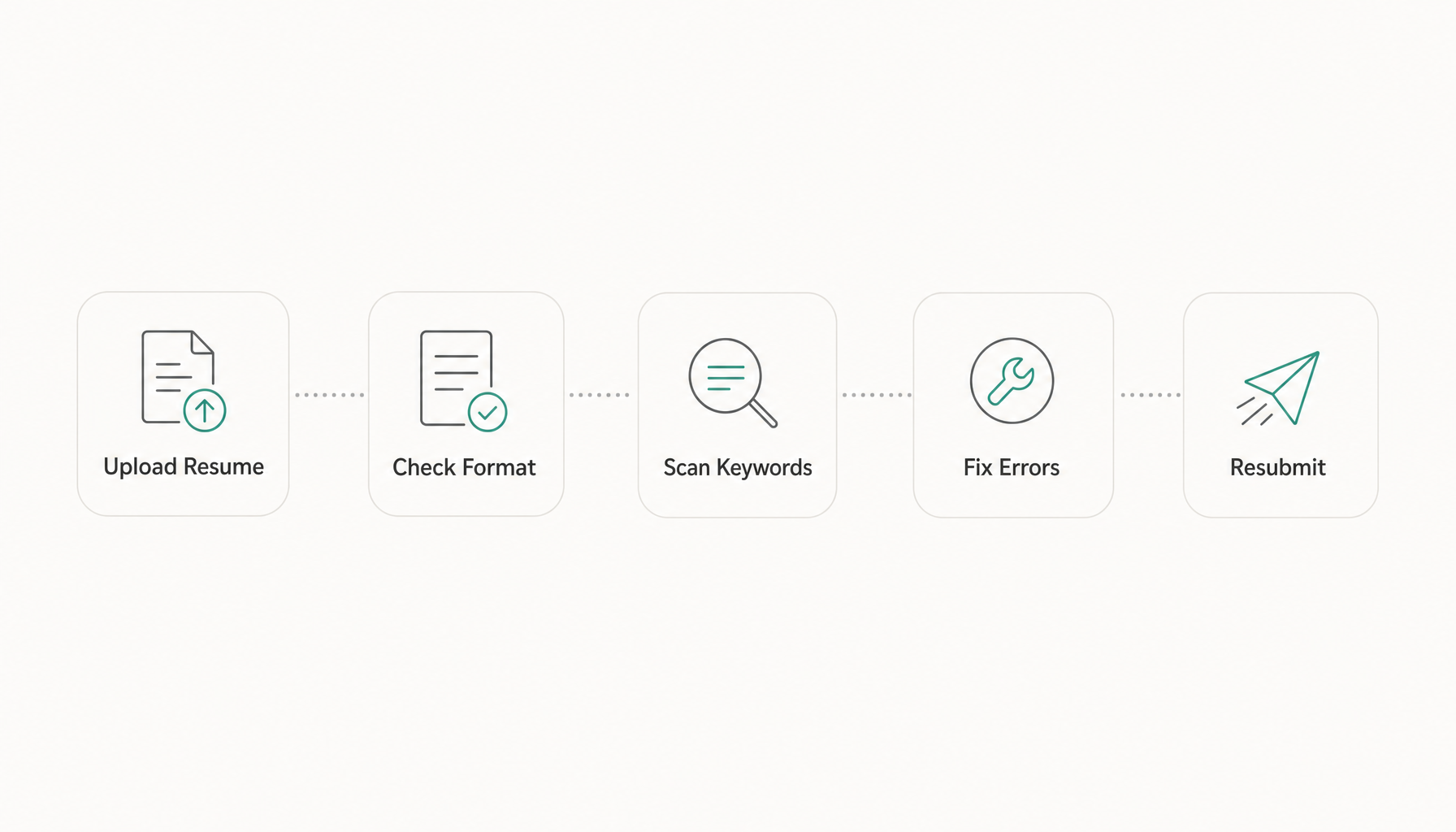
Open your resume (PDF or Word). Select all text. Paste it into a plain text editor like Notepad or TextEdit. Now look at what you get.
If the text appears in logical reading order — name, then contact info, then summary, then experience — your resume will likely parse correctly. If sections are scrambled, text from your sidebar appears in the middle of a bullet point, or content is missing entirely, the ATS will experience the same chaos.
This takes 30 seconds and catches the worst formatting disasters immediately.
Method 2: Automated ATS Resume Scanner Tools
Free ATS checking tools parse your resume the same way an applicant tracking system would and flag problems. What to look for in the results:
- Parsing accuracy: Did the tool correctly identify your job titles, dates, company names, and skills?
- Missing keywords: Does the tool compare your resume against a job description and identify gaps?
- Formatting warnings: Are there flags for images, headers/footers, or unsupported elements?
The key is testing against a specific job description, not just running a generic check. A resume that scores well in isolation can still fail when matched against a particular role's requirements.
Method 3: The Job Description Keyword Comparison
Pull up the job description you're targeting. Highlight every hard skill, software tool, certification, and industry-specific term. Now search your resume for each one. Literally use Ctrl+F.
If you find fewer than 60-70% of those terms somewhere in your resume, you have a keyword gap problem. The ATS isn't being unfair — it's doing exactly what the recruiter told it to do: surface candidates whose resumes match the stated requirements.
The Manual ATS Test: What to Look For When You Review Your Own Resume
Beyond the copy-paste test, run through this checklist on your own resume:
File format: Save as .docx for maximum compatibility. Use PDF only when the application explicitly accepts it or you've confirmed the company uses a modern ATS (Greenhouse, Lever, Ashby all handle PDFs well).
Font choice: Stick to Calibri, Arial, Garamond, or Times New Roman. Decorative fonts sometimes fail to render, causing characters to drop.
Section headers: Use these exact labels — "Work Experience" or "Professional Experience," "Education," "Skills," "Certifications." Don't get creative.
Dates format: Use "Jan 2023 – Mar 2026" or "01/2023 – 03/2026." Avoid writing "2023 to Present" in one entry and "January 2024 – current" in another. Consistency helps parsing accuracy.
Contact information: Place it in the body of the document, not in headers or footers. Many ATS platforms ignore header/footer content entirely.
Common ATS-Killing Formatting Mistakes and How to Fix Them
| Mistake | Why It Fails | Fix |
|---|---|---|
| Two-column layouts | Parser reads across both columns as one line | Use single-column format |
| Logos or icons for contact info | ATS can't read images | Use plain text for phone, email, LinkedIn |
| Skill bars or charts | No text to parse | List skills as plain text, comma-separated |
| "References available upon request" | Wastes space, adds zero value | Delete it entirely |
| Headers/footers with key info | Ignored by most parsers | Move everything into the document body |
| Fancy bullet characters | May render as unknown symbols | Use standard round bullets (•) |
One real example: a UX designer I worked with had a beautifully designed resume with icons, a skills chart, and a sidebar. When parsed, the ATS read "Phone: [blank] Email: [blank]" and scrambled her job history. Same content in a clean single-column .docx format? She got three interview requests in the first week.
How to Match Your Resume Keywords to a Specific Job Description
This is where most ATS failures actually happen — not formatting, but keyword misalignment. Your resume might parse perfectly and still get filtered because you used "project management" when the job description says "program management," or you wrote "data analysis" when they want "data analytics."
Here's the process:
Step 1: Read the job description and extract every noun phrase that describes a skill, tool, or qualification. For a marketing manager role, that might include: "demand generation," "HubSpot," "marketing automation," "ABM," "pipeline reporting," "Salesforce."
Step 2: Categorize them into must-haves (mentioned in the requirements section) and nice-to-haves (mentioned in preferred qualifications or buried in the description).
Step 3: For every must-have keyword you genuinely possess, make sure it appears in your resume — ideally in both your skills section AND within a bullet point that provides context.
Step 4: Use their exact phrasing. If the job says "cross-functional collaboration," don't assume "working with different teams" communicates the same thing to a machine. It doesn't.
This keyword matching process is the single highest-impact thing you can do for ATS compatibility. Want to speed it up? Paste any job description into Resume Inspector — it's free, no credit card required — and you'll see exactly which keywords from that specific posting are missing from your resume. Takes about 60 seconds versus the 20+ minutes of manual comparison.
For a deeper dive into keyword strategy, see our guide on finding and using resume keywords from job descriptions.
What to Do After Your ATS Check: Next Steps Before You Apply
Once your resume passes the ATS compatibility test, don't just click submit. Run through this pre-application checklist:
1. Tailor for each role. A resume that passes ATS for one job description might fail for another at the same company. Tailoring your resume to each specific posting isn't optional in 2026 — it's baseline.
2. Write a matched cover letter. If the application accepts one, submit one. A cover letter that mirrors the job description's language reinforces your keyword match. Here's our complete guide on writing cover letters that actually get read.
3. Check formatting one final time. After editing keywords in, open the file fresh and re-run the copy-paste test. Edits sometimes introduce formatting issues you didn't intend.
4. Apply directly when possible. Company career pages still route through an ATS, but job board applications sometimes add an extra parsing layer. When you can apply through the company's own site, do so.
5. Follow up like a human. ATS gets you past the gate. Networking, LinkedIn messages to the hiring manager, and strong follow-up emails get you the interview.
Try our free Job Keyword Scanner to see how your resume stacks up.
Try our free ATS Resume Checker to see how your resume stacks up.
Before you submit your next application, run a quick fit analysis. Paste the job description into Resume Inspector — it takes under a minute, costs nothing, and shows you exactly what the ATS will see when it scans your resume against that role. Fix the gaps before you hit apply, not after weeks of silence.