Resume Keywords for Job Descriptions: How to Find, Match, and Use Them to Get Interviews
Most job seekers know they should "use keywords" on their resume. Few actually know how to identify the right ones, where to place them, or how to verify they're working. I spent six years as a recruiter watching resumes get filtered out — not because candidates were unqualified, but because they didn't speak the same language as the job posting.
This guide teaches you the manual skill of keyword extraction so you understand the process, then shows you how to validate your work quickly. (If you want to skip ahead and check your resume's keyword match right now, there's a free tool that scores your resume against any job description in under a minute.)
Why Resume Keywords for Job Descriptions Actually Matter (It's Not Just ATS)
Yes, applicant tracking systems scan for keywords. But here's what most articles miss: even when a human recruiter reads your resume directly, keyword matching still matters.
When I recruited for a hiring manager looking for someone with "stakeholder management" experience, and a candidate wrote "worked with different teams" instead — that resume got skipped. Not by software. By me. In six seconds.
Keywords function as proof of shared vocabulary. They signal that you understand the role's actual requirements, not a generic version of it. They also:
- Help recruiters scan quickly (we spent 6-8 seconds per resume in high-volume roles)
- Signal industry fluency — you know what the work is actually called
- Create pattern recognition when a hiring manager reviews a shortlist
ATS resume optimization matters, but it's the floor, not the ceiling. The real goal is making a recruiter's brain light up with recognition.
How to Read a Job Description Like a Recruiter
Recruiters don't read job descriptions top to bottom. We read them in priority layers:
Layer 1: Must-haves (first 3-5 bullet points under "Requirements") These are non-negotiable. If the posting says "5+ years of Python development," that's a hard filter — in the ATS and in the recruiter's head.
Layer 2: Repeated language If "cross-functional collaboration" appears in the summary, the responsibilities, AND the qualifications — that's a critical keyword. Repetition signals priority.
Layer 3: Specifics over generics "Salesforce CRM" beats "CRM experience." "Series 7 license" beats "licensed." The more specific the term, the more likely it's a hard filter.
Layer 4: Nice-to-haves (often listed last or in a separate section) These are tiebreakers. Include them if you have them, but don't stress if you don't.
Hard Skills vs. Soft Skills vs. Action Verbs: The Three Keyword Categories You Need
Not all keywords are created equal. Job description keyword matching requires understanding three distinct categories:
Hard Skills — These carry the most weight in ATS parsing. They're specific, measurable, and often binary (you have them or you don't).
- Examples: Python, Google Analytics, HIPAA compliance, QuickBooks, AWS, CAD
Soft Skills — These matter for recruiter scanning but rarely trigger ATS filters alone. They need context.
- Examples: stakeholder management, cross-functional leadership, strategic planning
Action Verbs — These frame your experience. They mirror the language of the role's responsibilities.
- Examples: "spearheaded" (for leadership roles), "optimized" (for operations), "architected" (for technical roles)
The mistake most people make: stuffing resumes with soft skills and action verbs while missing hard skill keywords entirely. Hard skills are the gate. Soft skills and verbs are the polish.
Step-by-Step: How to Extract the Right Keywords from Any Job Posting
Here's my exact process for job posting analysis:
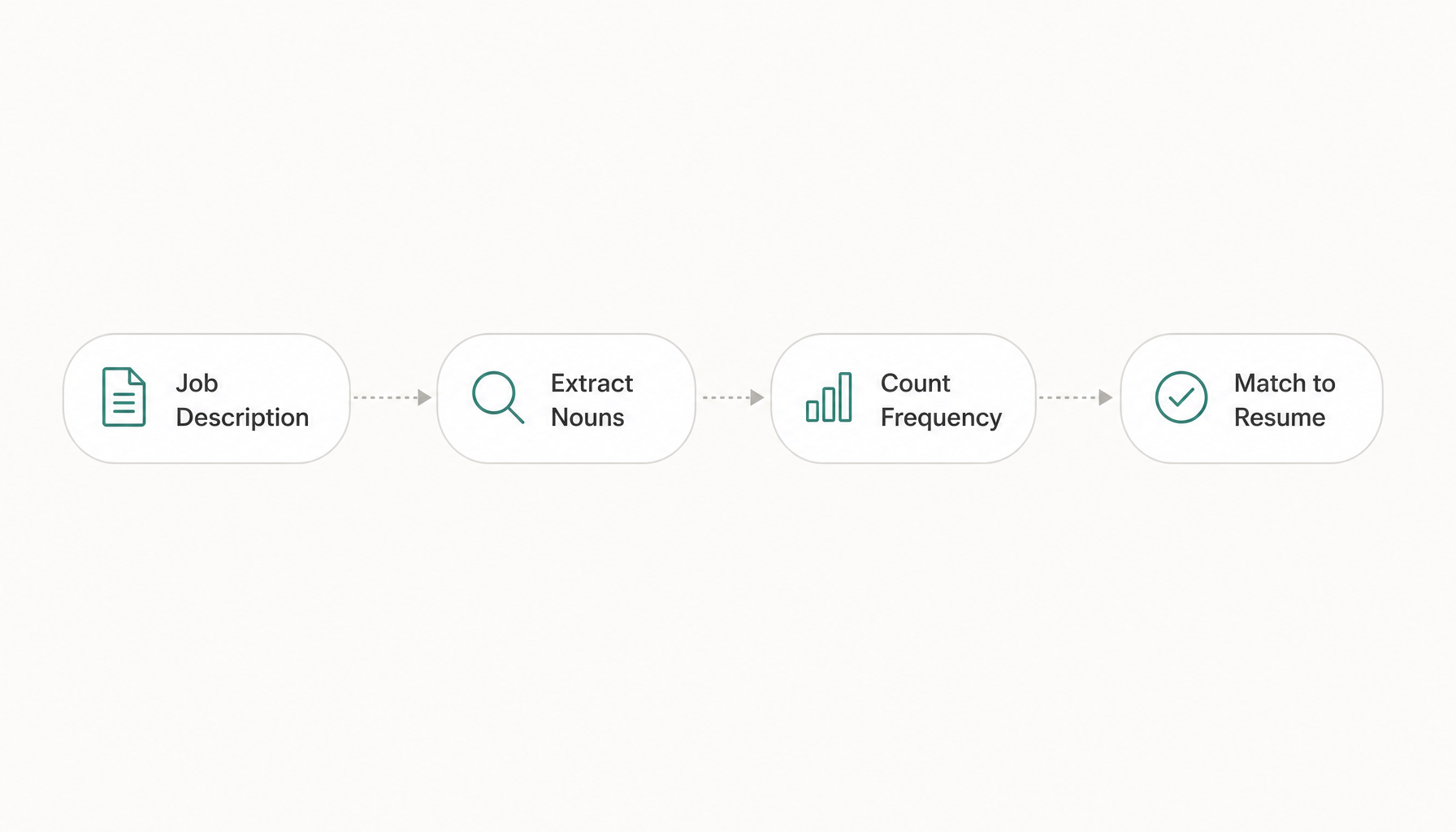
Step 1: Copy the full job description into a blank document.
Step 2: Highlight every noun phrase that describes a skill, tool, certification, or methodology. Ignore generic filler like "team player" or "fast-paced environment" unless they appear 3+ times.
Step 3: Count frequency. If "data analysis" appears four times and "data visualization" appears once, prioritize accordingly.
Step 4: Check for synonyms. The posting might say "project management" in one place and "program management" in another. Include both exact phrases.
Step 5: Cross-reference with the company's other postings for the same role. Different recruiters at the same company often write slightly different versions, revealing additional keywords.
Step 6: Bucket your keywords into must-haves vs. nice-to-haves. Aim to match 80%+ of must-haves and at least 50% of nice-to-haves.
Where to Place Keywords on Your Resume (And Where Not To)
Placement affects both ATS parsing and human readability. Here's where keywords belong:
Professional Summary (top 3 lines): Front-load your highest-priority hard skills here. This is the first thing both ATS software and humans read.
Bullet points in experience section: Embed keywords naturally within achievement statements. "Managed Salesforce CRM migration for 200+ users, reducing data entry errors by 34%."
Skills section: List hard skills exactly as they appear in the job description. If the posting says "Adobe Creative Suite," don't write "Photoshop, Illustrator, InDesign" — write both.
Certifications/Education: Mirror exact credential names. "PMP" and "Project Management Professional" should both appear since ATS may search for either.
Where NOT to put them:
- White text (ATS systems flag this as manipulation; some will auto-reject)
- Headers and footers (many ATS platforms can't read these sections)
- Image-based elements or text boxes (invisible to resume parsing software)
- A keyword dump paragraph with no context (recruiters see through this instantly)
Common Keyword Mistakes That Get Resumes Rejected
After reviewing thousands of resumes, these are the patterns that consistently lead to rejection:
Using acronyms only. Write "Search Engine Optimization (SEO)" the first time, then "SEO" afterward. Some ATS search for the full phrase; others search the acronym.
Keyword stuffing without context. Writing "Python" in your skills section but having zero Python-related bullet points raises a red flag. Recruiters assume you're gaming the system.
Matching keywords you can't defend. If you include "machine learning" because it appears in the posting but can only describe it at a surface level, you'll fail the phone screen. Only include keywords you can speak to for at least 2-3 minutes.
Ignoring the job title. If the posting is for "Digital Marketing Manager" and your resume says "Marketing Lead," you've already created friction. Mirror the exact title where honest (in your summary, not by lying about past titles).
Using outdated terminology. "Social media marketing" is generic. If the posting says "paid social acquisition" or "organic content strategy," use their language. It shows you're current.
How to Check If Your Resume Keywords Are Actually Working
You've done the manual extraction work. Now validate it. Here are three methods:
Method 1: The highlight test. Print your resume and the job description side by side. Highlight matching keywords in both documents with the same color. If less than 60% of the job description's key terms appear on your resume, you're undermatched.
Method 2: Ask someone unfamiliar with your work to read just your resume and tell you what role they think you're applying for. If they can't guess within one level of accuracy, your keywords aren't telling a clear story.
Method 3: Run a keyword match analysis. You've done the work — now confirm it landed. Paste your job description into Resume Inspector and get a free fit score showing exactly which keywords are still missing. No signup needed, takes under a minute. This catches gaps your eye skips over, especially when you've been staring at the same document for hours.
The goal isn't 100% keyword density — it's confirming that your top-priority terms actually appear where ATS and recruiters will find them.
Quick Reference: High-Value Resume Keywords by Industry
Bookmark this table. These are keywords I've seen consistently trigger ATS matches and recruiter interest in their respective fields:
Software Engineering: microservices, CI/CD, system design, code review, agile/scrum, REST APIs, cloud infrastructure, unit testing
Marketing: conversion rate optimization, attribution modeling, A/B testing, demand generation, marketing automation, CAC/LTV, content strategy
Finance: financial modeling, variance analysis, SOX compliance, forecasting, P&L management, ERP systems, GAAP
Healthcare: EMR/EHR, patient outcomes, HIPAA, clinical protocols, care coordination, quality metrics, population health
Project Management: resource allocation, risk mitigation, stakeholder engagement, Gantt/WBS, sprint planning, change management, scope definition
Sales: pipeline management, quota attainment, solution selling, CRM (specify which one), territory planning, contract negotiation, ARR/MRR
Human Resources: talent acquisition, HRIS, employee engagement, succession planning, total rewards, FMLA/ADA compliance, workforce planning
These lists aren't exhaustive — they're starting points. The real keywords are always in the specific job description you're targeting. Extract them fresh every single time. If you want to learn more about the full tailoring process, keyword matching is just one piece of making your resume speak directly to the role.
Try our free Job Keyword Scanner to see how your resume stacks up.
Try our free ATS Resume Checker to see how your resume stacks up.
Want to see how well your resume actually matches a specific job right now? Paste any job description into Resume Inspector — it's free, no signup needed — and you'll see exactly which keywords you're missing in under a minute. You did the hard part. Let the tool catch what you missed.