Best Resume Format 2026: Which Layout Actually Gets You Hired
You've rewritten your bullet points, agonized over your summary, and tailored your experience section — but if your resume format is wrong for your situation, none of that work matters. I've reviewed thousands of resumes as a recruiter, and I can tell you: format is the first decision that determines whether a hiring manager actually reads your content or moves on.
This isn't about picking the prettiest template. It's about choosing the structure that makes your strongest case in six seconds flat — while passing through the ATS software that screens you before a human ever sees your name.
Why Resume Format Still Matters More Than You Think in 2026
In 2026, over 97% of Fortune 500 companies use applicant tracking systems. These systems parse your resume into structured data fields. If your layout confuses the parser — columns in the wrong place, creative section headers, non-standard ordering — your keywords vanish. You could be a perfect match and score a zero.
But ATS isn't the only audience. Recruiters spend an average of 6-7 seconds on initial resume scans. Your format determines what they see first, how quickly they find relevant experience, and whether your career trajectory makes instant sense.
Format isn't decoration. It's information architecture.
The 3 Core Resume Formats: A Quick Breakdown
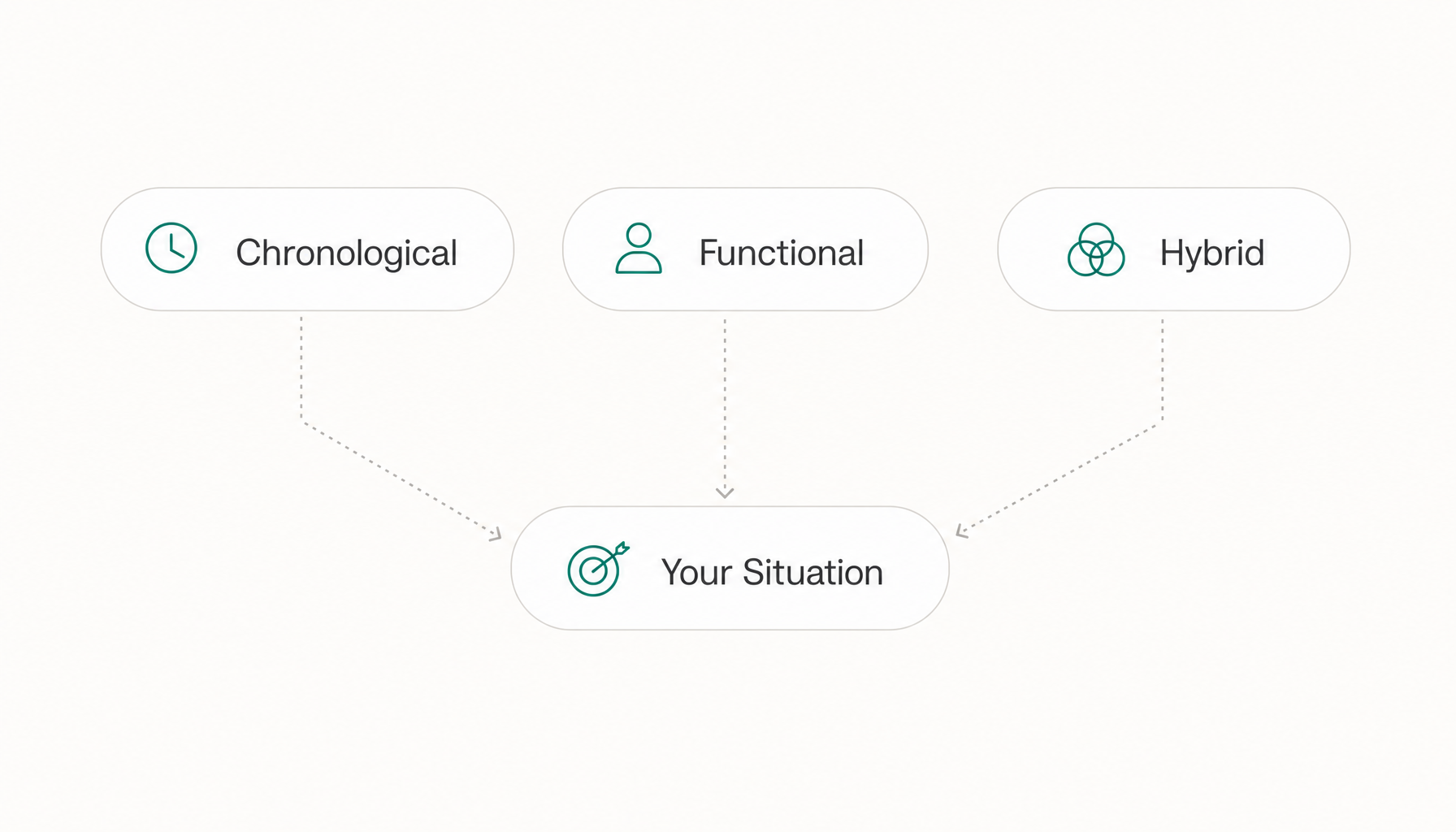
Every resume layout is a variation of three core structures:
- Reverse-chronological — Jobs listed newest-first, emphasis on career progression
- Functional — Skills grouped by category, employment history minimized
- Hybrid (combination) — Skills summary up top, reverse-chronological work history below
Each serves a different career narrative. The mistake most people make: picking a format because it "looks modern" rather than because it tells their specific story effectively.
Reverse-Chronological Format: Still the Gold Standard?
Yes — for most people. If you have a clear career progression in the same field, with no gaps longer than a few months, reverse-chronological remains the format recruiters expect and ATS systems parse most reliably.
Best for: Mid-career professionals, anyone staying in the same industry, people with consistent upward trajectory.
Example: A marketing manager with 8 years of progressive experience (coordinator → specialist → manager) at recognizable companies. The timeline tells the story of growth without any extra formatting gymnastics.
Why it works in 2026: Modern ATS systems like Greenhouse, Lever, and Workday are optimized to extract dates, titles, and company names from this layout. The parser knows exactly where to look.
Functional Resume Format: When It Helps (and When It Hurts)
The functional resume groups your experience by skill category — "Project Management," "Client Relations," "Technical Leadership" — rather than by employer and date.
When it genuinely helps: You're re-entering the workforce after 5+ years (caregiving, health, etc.) and need to foreground transferable skills before the gap becomes the headline.
When it hurts: Almost every other situation. Recruiters are trained to view functional resumes with suspicion. In my years recruiting, we called them "what are they hiding?" resumes. That bias hasn't changed in 2026.
The ATS problem: Functional resumes often fail to associate specific accomplishments with specific employers and dates. Many ATS platforms can't properly map your skills to verified work experience, which tanks your parsed score.
Hybrid (Combination) Format: The Best of Both Worlds
The hybrid format opens with a 3-5 bullet skills summary or "core competencies" section, then follows with a standard reverse-chronological work history. It's the resume format for career changers in 2026 — you lead with the transferable value, then prove it with a timeline.
Best for: Career changers, people targeting a new industry, senior professionals whose titles don't reflect their full scope.
Example: A teacher transitioning to instructional design leads with skills (curriculum development, LMS administration, data-driven learning outcomes) before listing their school employment history. The recruiter sees relevant skills immediately, then validates them against real experience.
How to Choose the Right Format for Your Situation
Here's the decision framework:
- Steady career, same industry, no gaps → Reverse-chronological. Don't overthink it.
- Career change, targeting a new field → Hybrid. Lead with relevant skills, back them up with history.
- Employment gap under 2 years → Reverse-chronological with a brief explanation line if needed.
- Employment gap over 3 years → Hybrid. Surface what you've been doing (freelance, volunteer, certification) in the skills section.
- Entry-level, limited experience → Reverse-chronological with education first. Internships, projects, and relevant coursework count.
- Senior/executive level → Hybrid with an executive summary replacing the skills bullets. Board roles, P&L scope, and strategic impact up front.
The common thread: choose the format that puts your most relevant qualifications in the top third of page one. That's what gets read.
ATS Compatibility: How Format Choices Affect Your Score
Here's what most "best resume format" articles skip: different formats parse differently in 2026 ATS platforms.
Reverse-chronological has the highest parse accuracy. Dates, titles, and companies land in the right fields 90%+ of the time with standard formatting.
Hybrid parses well if you keep your skills section in a single-column list (not a multi-column grid) and use standard section headers like "Professional Experience" rather than creative alternatives like "Where I've Made Impact."
Functional has the worst parse rates. Skills get captured, but without associated employers and dates, many systems flag the application as incomplete.
Beyond format, keyword placement matters. ATS software matches your resume content against the job description's requirements. If your format buries relevant keywords in a footer or sidebar, they may not get parsed at all.
Want to see how this actually plays out with your resume? Paste any job description into Resume Inspector — it's free, no signup needed — and you'll see exactly which keywords your resume is missing in under a minute. It's the fastest way to know whether your format is helping or hiding your qualifications.
2026 Resume Formatting Rules Recruiters Actually Care About
Based on recruiter feedback and current ATS behavior:
- Single column. Two-column layouts still cause parsing errors in Taleo and iCIMS. Not worth the risk.
- Standard section headers. "Experience," "Education," "Skills." Not "My Journey" or "Toolkit."
- 10-12pt font, standard typefaces. Calibri, Arial, Garamond. Not Futura Light at 9pt.
- PDF unless told otherwise. Preserves formatting. But if the application portal specifies .docx, comply.
- One page if under 10 years experience. Two pages maximum for everyone else. Three-page resumes get skimmed, not read.
- No headers/footers for critical info. Many ATS systems ignore header and footer content entirely. Your name and contact info belong in the body.
- Margins at 0.5" - 1". Tighter than 0.5" gets clipped by some systems.
Common Format Mistakes That Get Resumes Rejected
Tables and text boxes. ATS systems often can't read content inside tables. Your perfectly aligned skills grid might render as blank space on the recruiter's screen.
Graphics, icons, and progress bars. That "skill level" bar showing Python at 80%? The ATS sees nothing. The recruiter sees someone who can't quantify competence.
Inconsistent date formatting. "Jan 2022 - Present" in one entry and "2020-2021" in another. It signals carelessness. Pick one format and use it everywhere.
Burying the job title. Some templates put the company name first in large font and the title below in smaller text. Recruiters scan for titles. Make them prominent.
Custom file names like "resume_final_v3_REAL.pdf." Name it FirstName_LastName_Resume.pdf. Professionalism starts before anyone opens the file.
How to Test Whether Your Format Is Working Before You Apply
Don't guess. Validate. Here's a three-step self-audit:
-
The squint test. Print your resume or zoom out to 50%. Can you identify the three most important pieces of information (current title, most relevant skill, strongest accomplishment) without reading a word? If not, your visual hierarchy needs work.
-
The plain-text test. Copy your resume into a plain text editor (Notepad, not Word). Does the content still flow logically? Are sections clearly distinguishable? This approximates what an ATS parser sees.
-
The fit score test. Take a specific job description you're targeting and compare it against your resume. Are the critical keywords from the job posting present in your top half? Are your accomplishments framed in the language the employer used?
That third step is where most people get stuck — it's hard to objectively evaluate your own resume against a specific posting. Before you submit your next application, run it through a free ATS check to see your actual fit score and the exact gaps in your keyword coverage. You'll know in 60 seconds whether your format and content are aligned to the role, or whether you need to restructure before hitting "apply."